block.json
Review the official block.json documentation for an introduction to this file.
The block.json file simplifies the process of defining and registering a block by using the same block’s definition in JSON format to register the block on both the server and the client (Block Editor).
The Metadata in block.json documentation has a comprehensive guide on all the properties you can use in a block.json file for a block. Some of the most common options allow you to specify:
- The block’s basic metadata.
- The files that dictate the block’s functionality, appearance, and output.
Basic metadata of a block
Using block.json properties, you can define how the block will be uniquely identified and what information is displayed in the Block Editor. These properties include:
apiVersion: Specifies the API version the block uses. Use the latest version unless you have specific requirements.name: The unique name of the block, including namespace (e.g.,my-plugin/my-custom-block).title: The display title for the block, shown in the Inserter.category: The category under which the block appears in the Inserter. Common categories includetext,media,design,widgets, andtheme.icon: An icon representing the block in the Inserter. This can be a Dashicon slug or a custom SVG icon.description: A short description of the block, providing more context than the title.keywords: An array of keywords to help users find the block when searching.textdomain: The text domain for the block, used for internationalization.
Files for the block’s behavior, output, or style
The block.json file also allows you to specify the essential files for a block’s functionality:
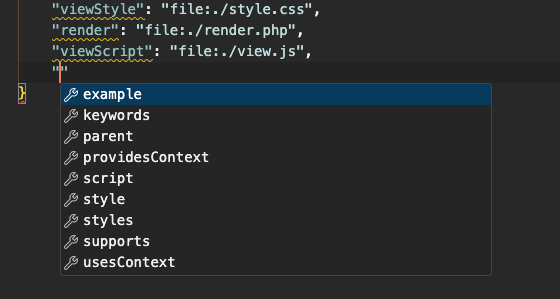
editorScript: A JavaScript file or files for use only in the Block Editor.editorStyle: A CSS file or files for styling within the Block Editor.script: A JavaScript file or files loaded in both the Block Editor and the front end.style: A CSS file or files applied in both the Block Editor and the front end.viewScript: A JavaScript file or files intended solely for the front end.
Schema Validation
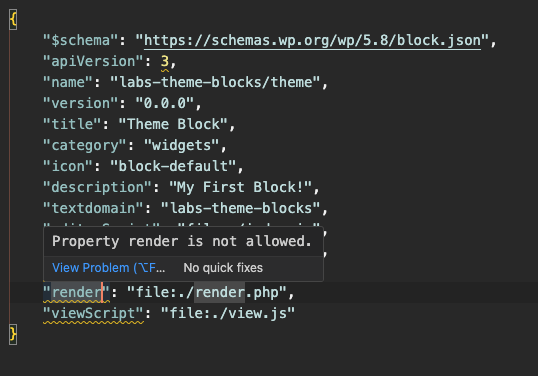
The first line of block.json should be a $schema property that defines a schema for the file. This will help your code editor provide validation and autocomplete of valid JSON Properties.
`"$schema": "https://schemas.wp.org/trunk/block.json",`Setting the $schema to /trunk version will load the latest. However we are usually several versions behind in WordPress so you can instead set the $schema property to use a /wp/x.x/ specific version in the url:
`"$schema": "https://schemas.wp.org/wp/5.8/block.json",`